What is Odoo ERP? How It Works for Modern Businesses
Learn What is Odoo ERP and how it works. Discover how integrated modules connect sales, inventory, finance, and operations in one business system.
 RIbsadmin

What is Odoo ERP and How Does It Work?
Modern businesses rarely struggle because they lack tools. They struggle because their tools do not communicate with each other. Finance uses one system, sales uses another, inventory sits in spreadsheets, and managers rely on manual updates. Over time, this fragmentation quietly slows decisions and increases operational risk.
Odoo ERP solves this challenge by bringing core business operations into one unified system. Instead of disconnected applications, companies manage sales, inventory, accounting, manufacturing, HR, and customer relationships through a single integrated platform.
The result is simple but powerful: clear information, faster decisions, and consistent operations.
Understanding Odoo ERP
Enterprise Resource Planning (ERP) systems exist to connect business processes. Odoo takes this concept further by offering a modular ERP platform where applications work together seamlessly.
Each module manages a specific business function while sharing the same database and workflow logic. This means information entered once becomes available across the entire organization.
For example:
• A confirmed sales order can automatically trigger inventory allocation
• Inventory shortages can initiate procurement requests
• Procurement purchases update accounting records
• Manufacturing orders align with real customer demand
Instead of departments operating independently, the business begins operating as one coordinated system.
How Odoo ERP Works
At its core, Odoo works through three key operational principles: modularity, integration, and automation.
1. Modular Applications
Odoo consists of multiple business applications that companies can activate based on their needs.
Common modules include:
• Odoo Apps Implementation Services
• Customer Relationship Management (CRM)
• Odoo Application Customization Services
• Odoo Application Integration Services
• Odoo Apps Workflow Automation Services
• Odoo Apps Analytics and Reporting Services
• Odoo Apps Support and Maintenance Services
Organizations can start with only the modules they need and expand gradually as the business grows.
This flexibility reduces the psychological resistance companies often feel toward large ERP implementations.
2. Integrated Data Structure
All modules in Odoo share a centralized database. This eliminates duplicate data entry and reduces the risk of inconsistent information.
For example:
• Customer data entered in CRM automatically appears in sales and accounting
• Product data links inventory, purchasing, and manufacturing
• Financial transactions update in real time as business operations occur
Because data flows naturally across departments, managers gain accurate operational visibility without waiting for reports.
3. Workflow Automation
Odoo also automates many routine operational processes.
Examples include:
• Automatic invoice generation after order confirmation
• Purchase orders created when stock falls below minimum levels
• Manufacturing orders triggered by sales demand
• Scheduled reminders for tasks or approvals
Automation removes repetitive manual work and allows teams to focus on higher-value decisions.
Over time, companies experience a powerful shift: less operational friction and more strategic clarity.
Why Businesses Choose Odoo ERP
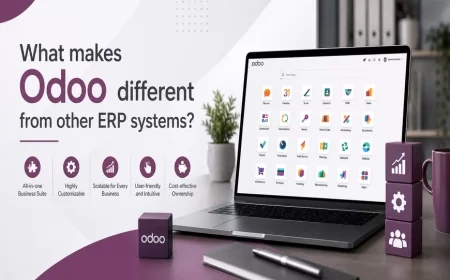
Many ERP systems are complex, rigid, and expensive to maintain. Odoo gained global adoption because it balances capability with usability.
Organizations often choose Odoo for several reasons:
User-Friendly Interface
Employees adopt systems faster when they feel intuitive. Odoo’s interface reduces training barriers.
Scalable Architecture
Companies can start small and expand modules as operations grow.
Customization Flexibility
Workflows can be configured to match industry-specific processes.
Unified Operational Visibility
Leadership gains a single view of sales performance, inventory levels, financial health, and operational activity.
When systems are clear, teams feel more confident making decisions. Confidence improves execution.
How Odoo Supports Different Industries
Odoo is designed to support multiple industries through configurable modules and workflows.
Examples include:
Manufacturing
Production planning, bill of materials management, and shop floor control.
Distribution and Trading
Inventory tracking, procurement automation, and order fulfillment.
Retail and eCommerce
Integrated online store management, POS systems, and customer insights.
Professional Services
Project management, resource planning, and invoicing.
Because modules are integrated, companies avoid the hidden complexity of managing several disconnected software tools.
The Business Impact of an Integrated ERP
When ERP implementation is successful, companies notice improvements across several operational dimensions:
• improved decision-making speed
• reduced manual data entry
• stronger cross-department collaboration
• better inventory and cash flow control
• clearer performance reporting
Perhaps the most important benefit is operational confidence. Managers no longer rely on assumptions—they rely on real-time information.
Implementing Odoo ERP Successfully
ERP success depends not only on technology but also on structured implementation.
Key implementation stages often include:
• business process analysis
• module selection and configuration
• data migration and validation
• user training and testing
• phased system deployment
Organizations that invest time in structured implementation typically achieve faster adoption and stronger long-term results.
When Companies Realize They Need ERP
Many businesses delay ERP adoption until operational complexity forces change.
Common signals include:
• teams using multiple spreadsheets for core operations
• inconsistent inventory or financial reports
• delayed management insights
• increasing manual coordination between departments
• difficulty scaling operations
- Book a Demo session: Contact Us
At this stage, implementing an ERP like Odoo can transform how the organization operates.
The shift is subtle but powerful: operations move from reactive to structured.
Explore Odoo ERP for Your Business
Technology alone does not transform a business. But the right system creates the structure where better decisions become natural.
With Odoo ERP, organizations gain a unified platform to manage operations, reduce complexity, and build a more predictable business environment.
Businesses exploring ERP adoption often begin with a structured consultation to evaluate operational needs and identify the most relevant modules.
FAQs
Q1: What is Odoo ERP used for?
Odoo ERP is used to manage core business processes such as sales, inventory, accounting, manufacturing, and customer relationships within one integrated platform.
Q2: Is Odoo ERP suitable for small and medium businesses?
Yes. Odoo is modular, allowing businesses to start with essential modules and expand as their operations grow.
Q3: How does Odoo integrate different business departments?
Odoo uses a centralized database where information entered in one module automatically becomes available to others.
Q4: Can Odoo ERP be customized?
Yes. Workflows, modules, and interfaces can be configured to align with specific business requirements.
Q5: Does Odoo support automation?
Yes. Odoo automates processes such as invoicing, procurement triggers, and manufacturing order creation.