Odoo Apps For Manufacturing Work Orders Business
Improve shop-floor execution with Odoo Manufacturing Work Orders. Track operations, monitor production progress, and strengthen manufacturing control.
 RIbsadmin
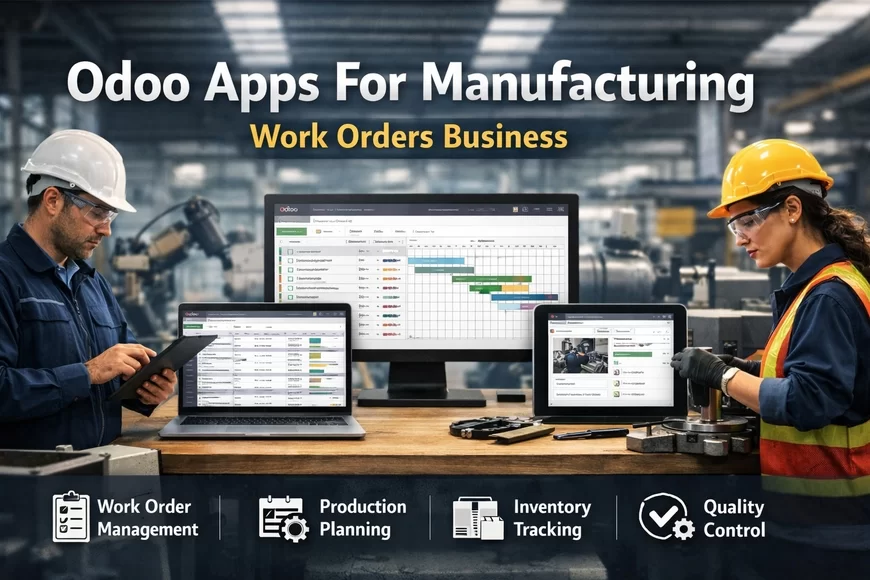
Odoo Manufacturing Work Orders
Structured shop-floor execution that turns production plans into controlled results
Manufacturing success rarely fails at planning. It fails at execution clarity.
When operators rely on verbal instructions, spreadsheets, or disconnected systems, production becomes inconsistent. Small mistakes accumulate. Deadlines tighten. Quality risks grow.
Work Orders in Odoo Manufacturing provide a structured way to guide shop-floor activities step-by-step. Each operation becomes clear, measurable, and traceable—so production teams always know what to do, when to do it, and how it connects to the final product.
The psychological advantage is powerful: when operators see a clear sequence of tasks, confidence increases and errors decrease.
Why Work Orders Matter in Manufacturing Operations
Manufacturing processes often involve multiple operations such as cutting, assembling, testing, packaging, or inspection. Without structured work instructions, teams depend on experience rather than controlled workflow.
Work Orders transform production into a system-driven process.
Key operational improvements include:
• Clear task instructions for each operation
• Real-time tracking of production progress
• Better coordination between departments
• Visibility into operator workload and machine usage
• Accurate recording of production time and performance
Instead of reacting to issues after production finishes, managers gain live operational insight while work is happening.
How Work Orders Operate Inside Odoo Manufacturing
Work Orders divide manufacturing orders into individual operational steps. Each step is assigned to a workstation or production resource.
This structure ensures that production flows logically through the shop floor.
A typical workflow may include:
- Production order is created from a sales order or forecast.
- The system generates work orders based on the routing process.
- Operators receive tasks at the relevant workstation.
- Each operation records start time, progress, and completion.
- The system updates overall production status in real time.
This operational flow creates a controlled production environment where every activity contributes to measurable output.
Key Capabilities of Odoo Work Orders
Work Orders provide several practical capabilities that strengthen shop-floor discipline without creating unnecessary complexity.
Operation-Level Instructions
Each work order can include instructions, diagrams, or operational notes. This ensures operators perform tasks consistently across shifts.
Workstation Assignment
Operations can be linked to specific machines or production areas, improving workload distribution and visibility.
Real-Time Status Tracking
Supervisors can monitor operations in progress, completed tasks, and delays directly from the dashboard.
Time Tracking and Performance Data
The system records operation time, helping management evaluate efficiency and identify improvement opportunities.
Quality Checkpoints
Work orders can trigger quality inspections at specific stages of production.
These features collectively help manufacturers move from experience-driven production to data-driven execution.
Core Odoo Service Lines
Choose the service layer that removes the most risk first
- Odoo Consulting: Define workflows, controls, KPIs, and rollout priorities: Odoo Software Consulting Services
- Odoo Implementation: Configure modules, roles, approvals, and reporting structure: Odoo Apps Implementation Services
- Odoo Customization: Extend features without destabilizing the system: Odoo Application Customization Services
- Odoo Integration: Connect data flows across business systems: Odoo Application Integration Services
- Workflow Automation: Reduce delays with controlled automation: Odoo Apps Workflow Automation Services
- Analytics and Reporting: Build KPI reporting that drives action: Odoo Apps Analytics and Reporting Services
- Support and Maintenance: Protect uptime, adoption, and controlled improvements: Odoo Apps Support and Maintenance Services
When Manufacturers Benefit Most from Work Orders
Work Orders become particularly valuable in production environments that involve multiple steps or operational coordination.
Typical use cases include:
• assembly-based manufacturing
• multi-stage production lines
• industries requiring traceability
• production processes with strict quality checkpoints
• factories operating multiple workstations
In these environments, structured task management becomes essential for maintaining production discipline.
Implementation Considerations
Successful adoption requires thoughtful configuration rather than excessive customization.
Key implementation steps typically include:
- Mapping production operations and routing steps
- Defining workstations and equipment resources
- Configuring operational instructions and checkpoints
- Testing workflows under real production conditions
- Training operators and supervisors
This structured rollout ensures work orders support productivity instead of disrupting existing workflows.
Practical Business Impact
Manufacturers that adopt structured work orders often experience measurable improvements in operational control.
Potential outcomes include:
• reduced production errors
• improved operational coordination
• better visibility into shop-floor performance
• stronger traceability for audits and compliance
• more reliable delivery timelines
Ultimately, the value lies in a simple principle:
when production tasks become visible and measurable, improvement becomes possible.
Call to Action
Manufacturing growth depends on consistent execution on the shop floor.
If your production environment relies on manual coordination or fragmented systems, structured work orders can provide the operational clarity needed for sustainable improvement.
Evaluate how work orders can align your production teams, machines, and processes into one controlled workflow.
- Book a Demo session: Contact Us
FAQs - Odoo Manufacturing Work Orders
Q1: What are work orders in Odoo Manufacturing?
Work orders break production into individual operational tasks assigned to specific workstations.
Q2: Can work orders track production time?
Yes. Each operation records start time, duration, and completion data.
Q3: Do work orders support quality checks?
Yes. Quality checkpoints can be triggered during specific production stages.
Q4: Are work orders useful for small manufacturing teams?
Yes. Even smaller teams benefit from clearer task structure and production tracking.
Q5: Can work orders integrate with machine data?
In some cases, integrations and IoT connections can automate operational updates.