Is Odoo easy to use for non-technical users?
Discover how Odoo’s user-friendly ERP empowers non-technical teams in UAE with simple workflows, guided screens, and fast adoption. Book a demo today.
 RIbsadmin
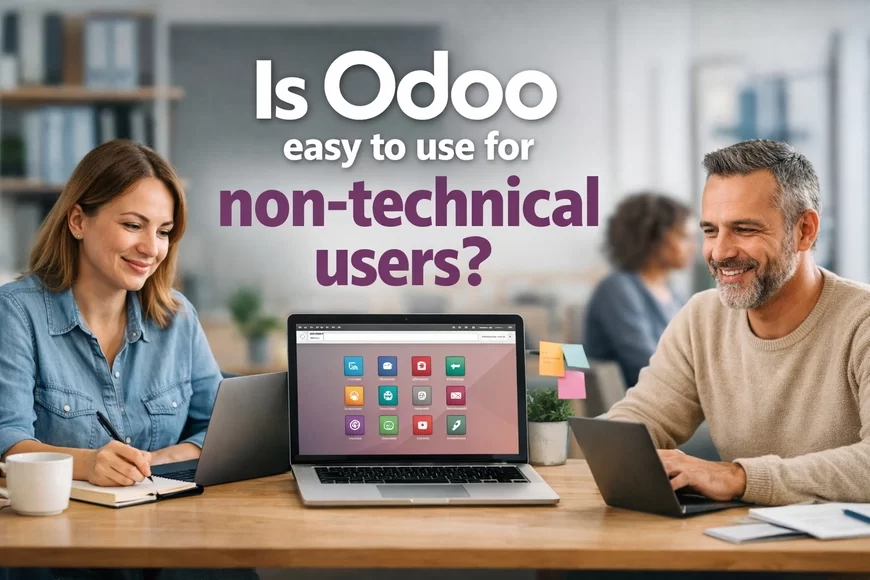
Is Odoo Easy to Use for Non-Technical Users?
Designed for clarity. Built for confidence. Adopted without fear.
Many business systems fail not because features are missing—but because teams avoid using them. Odoo is built with a human-centric design, making it easy for non-technical users to adopt, navigate, and stay consistent without feeling overwhelmed.
It replaces complexity with predictable workflows, clean screens, and step-by-step actions that reduce hesitation and build confidence quickly.
For UAE companies where teams come from multiple skill levels and backgrounds, Odoo helps create one powerful advantage:
everyone can operate the system—even without technical expertise.
About Odoo’s Ease of Use
Simple interfaces. Clear actions. Zero technical dependency.
Odoo’s UI is purpose-built for teams who prefer clarity over clutter. Every screen guides users toward the next step—reducing errors, training time, and frustration.
What non-technical users appreciate:
- Modern, intuitive interface: feels like using a familiar mobile app
- Guided workflows: reduces uncertainty and boosts task completion
- Minimal training time: teams adopt the system in days, not months
- Role-based visibility: teams only see what they need, avoiding confusion
- Mobile-friendly pages: field teams and warehouse staff use Odoo easily
This reduces resistance, stabilizes adoption, and builds a culture of structured execution.
Strong CTA
Give your team a system they’ll actually use—with confidence.
- Book a usability demo and experience Odoo from a non-technical user’s perspective
- Request an adoption assessment to understand training needs
- Book a Demo session: Contact Us
- We are the certified Odoo ERP Partner
Why Odoo Works for Non-Technical Teams
Ease creates trust. Trust drives consistency. Consistency drives results.
Odoo simplifies operations for every department:
- Admin & operations teams: Quick form entries and guided actions
- Sales & customer support: Clean dashboards with instant visibility
- Warehouse teams: Barcode-friendly workflows
- Account & finance teams: Structured screens that minimize errors
- Managers: Real-time dashboards without digging through menus
The psychological advantage is simple:
People trust what feels simple. Teams adopt what feels safe.
Odoo delivers both.
Feature Snapshot (Ease-of-Use Highlights)
- Drag-and-drop tools
- Smart buttons and shortcuts
- Step-based task flows
- Auto-suggestions & real-time validations
- Minimalistic layout for faster decision-making
- Clean mobile UI for front-line operational teams
Core Odoo Service Lines
Choose the service layer that removes the most risk first
- Odoo Consulting: Define workflows, controls, KPIs, and rollout priorities: Odoo Software Consulting Services
- Odoo Implementation: Configure modules, roles, approvals, and reporting structure: Odoo Apps Implementation Services
- Odoo Customization: Extend features without destabilizing the system: Odoo Application Customization Services
- Odoo Integration: Connect data flows across business systems: Odoo Application Integration Services
- Workflow Automation: Reduce delays with controlled automation: Odoo Apps Workflow Automation Services
- Analytics and Reporting: Build KPI reporting that drives action: Odoo Apps Analytics and Reporting Services
- Support and Maintenance: Protect uptime, ad option, and controlled improvements: Odoo Apps Support and Maintenance Services
FAQs - Odoo Easy to Use for Non-Technical Users
Q1: Is Odoo beginner-friendly for staff with limited technical skills?
Yes. Odoo’s interface is designed for simplicity, helping non-technical users navigate confidently with minimal guidance.
Q2: How much training is required for new users?
Most teams become functional within days because screens guide them step-by-step.
Q3: Can Odoo reduce user mistakes?
Yes. Real-time validation and guided workflows reduce input errors.
Q4: Is the mobile app easy for field or warehouse teams?
Yes. The interface is clean, responsive, and optimized for quick actions.
Q5: Does Odoo overwhelm users with too many features?
No. Role-based access ensures each user sees only what they need.